Knowledge base Making it yours
Themes and layout
Six themes, two chat layouts, two surface treatments, seven wallpaper patterns and eighteen notification sounds. All of it lives under Settings › Appearance, except the sound, which is under Messaging & Display.
Themes
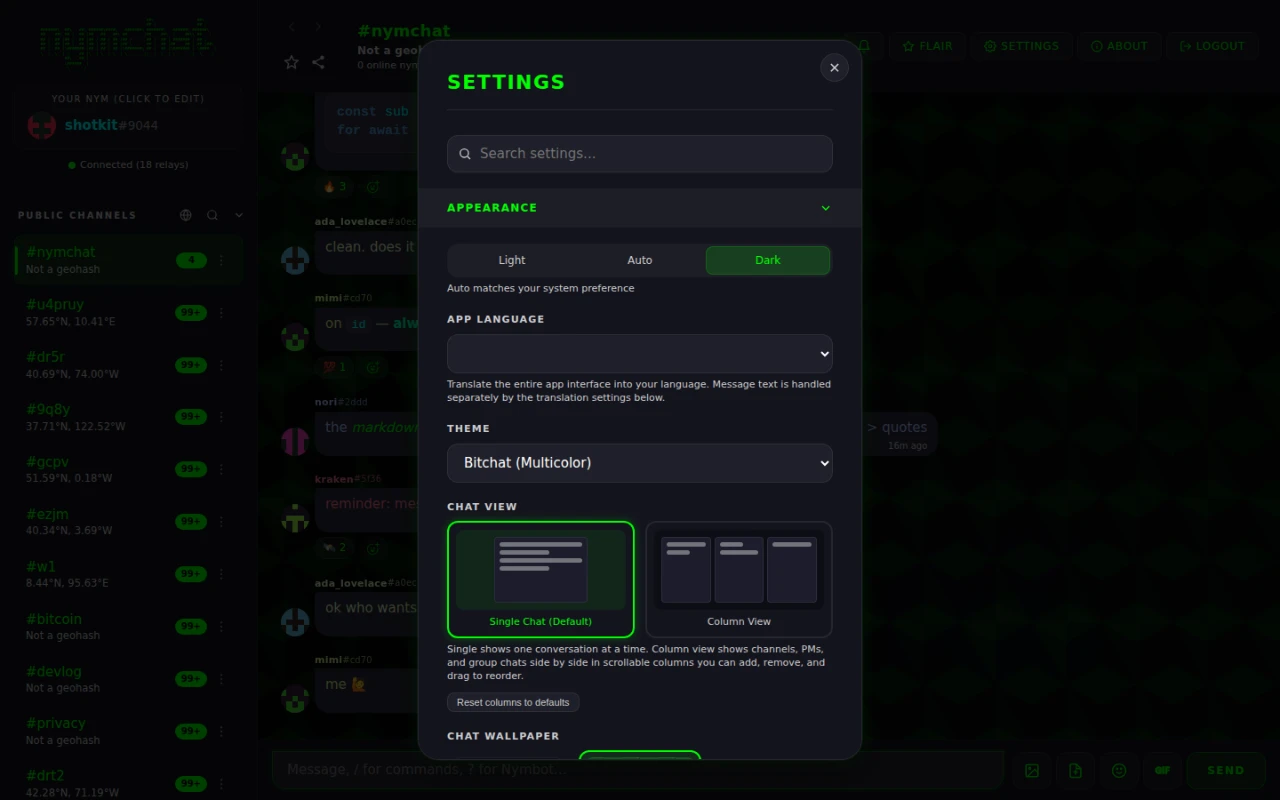
Light, Auto or Dark sits at the top; Auto follows your system preference. Under it, six themes, each of which works in both light and dark:
| Theme | |
|---|---|
| Bitchat (Multicolor) | The default. Nyms are colored individually, so who is speaking is legible at a glance. |
| Matrix Green | Green on black, terminal-style. |
| Amber Terminal | The amber CRT. |
| Cyberpunk | Neon magenta and cyan. |
| Hacker Blue | Cool blue monochrome. |
| Ghost (B&W) | Black and white, no accent color at all. |
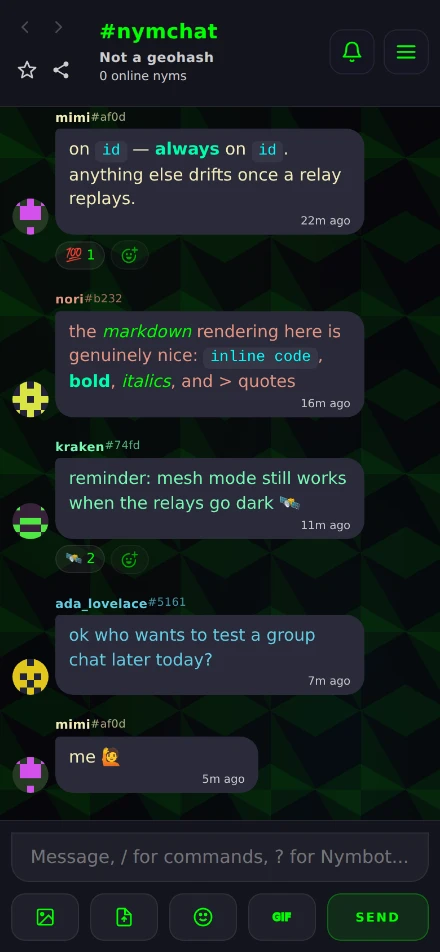
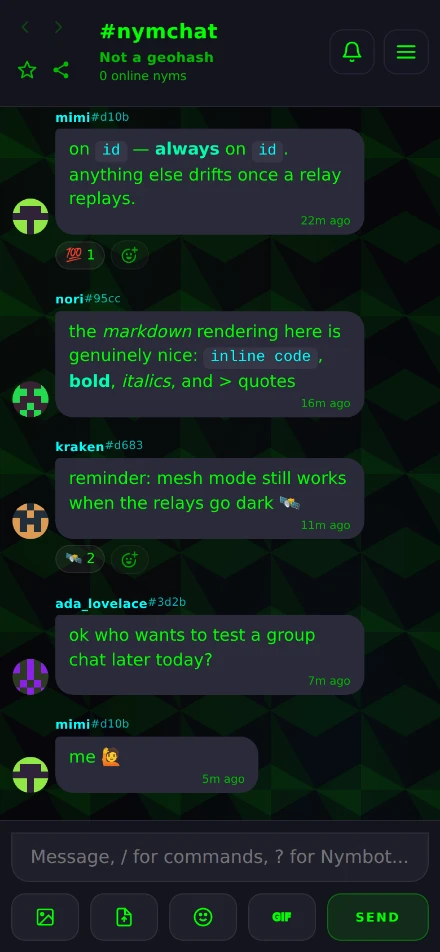
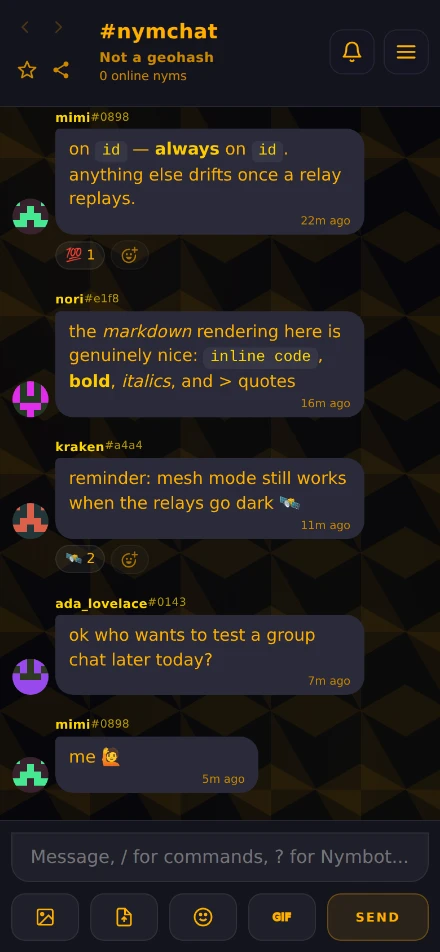
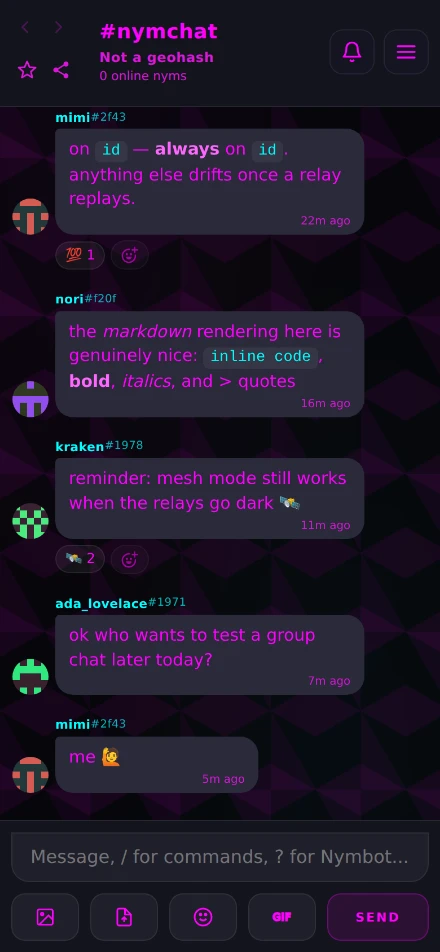
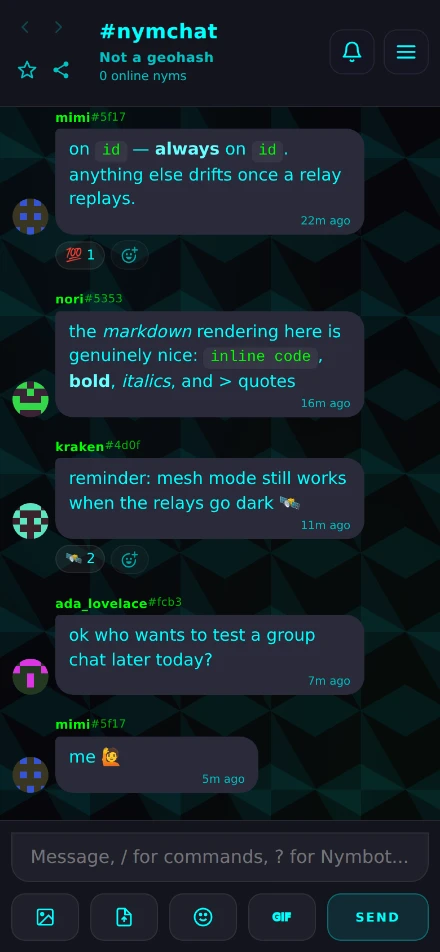
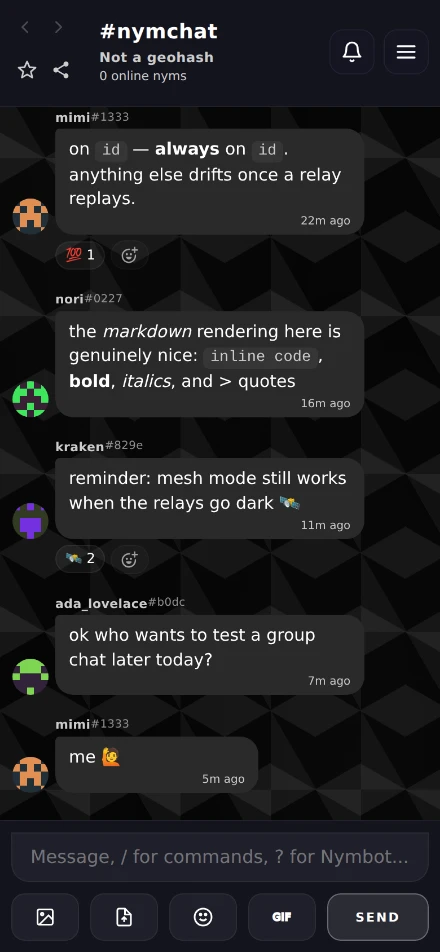
Each of them also has a light variant, which is what the Light setting — or a system preference, on Auto — switches to.
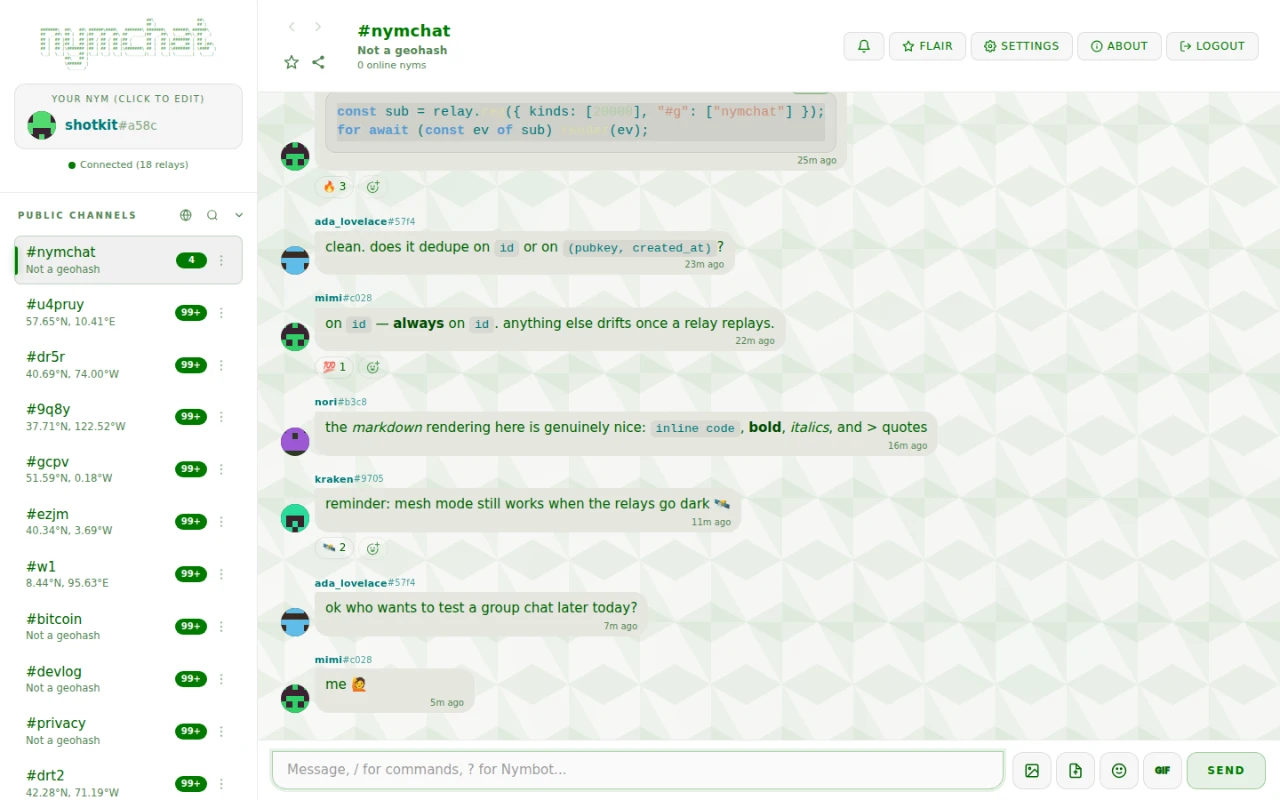
Visual Transparency switches every surface — messages, modals, sidebars — between Solid and a translucent Glass look. Solid is the default and is the easier of the two to read over a busy wallpaper.
Chat layout and text size
Three independent choices:
| Setting | Options | Default |
|---|---|---|
| Chat View | Single Chat, or Column View | Single Chat |
| Message Threads | Enabled, or Disabled (classic flat view) | Enabled |
| Message Layout | Bubbles, or IRC Style | Bubbles |
| Text Size | 12–28 px, on a slider | 15 px |
Column View puts channels, private messages and group chats side by side in scrollable columns you can add, remove and drag to reorder, rather than looking at one conversation at a time. A Reset columns to defaults button undoes an arrangement you have got lost in.
Message Threads groups replies under the message they answer, opened in place from any message — covered in full under Messages. Disabling it shows every reply inline, the classic flat view.
IRC Style drops the bubbles for one dense line per message, which fits far more history on a screen.
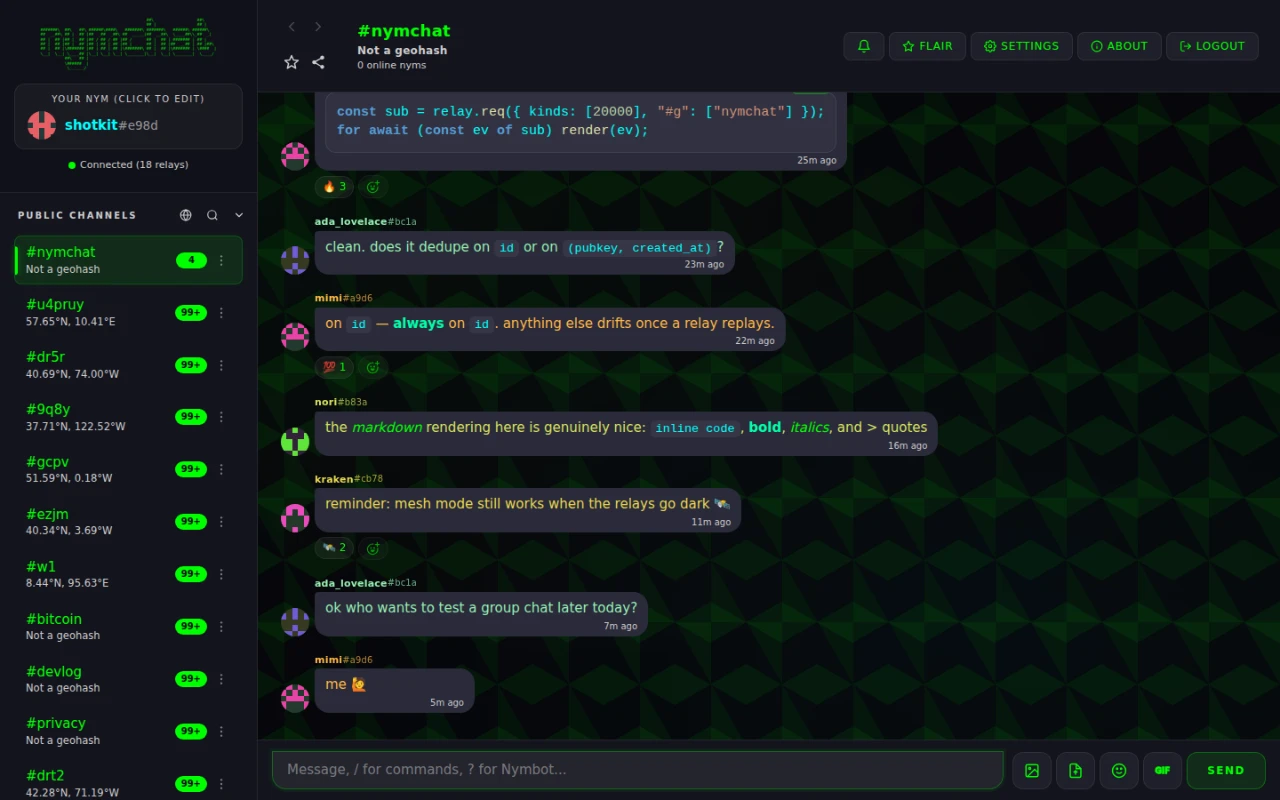
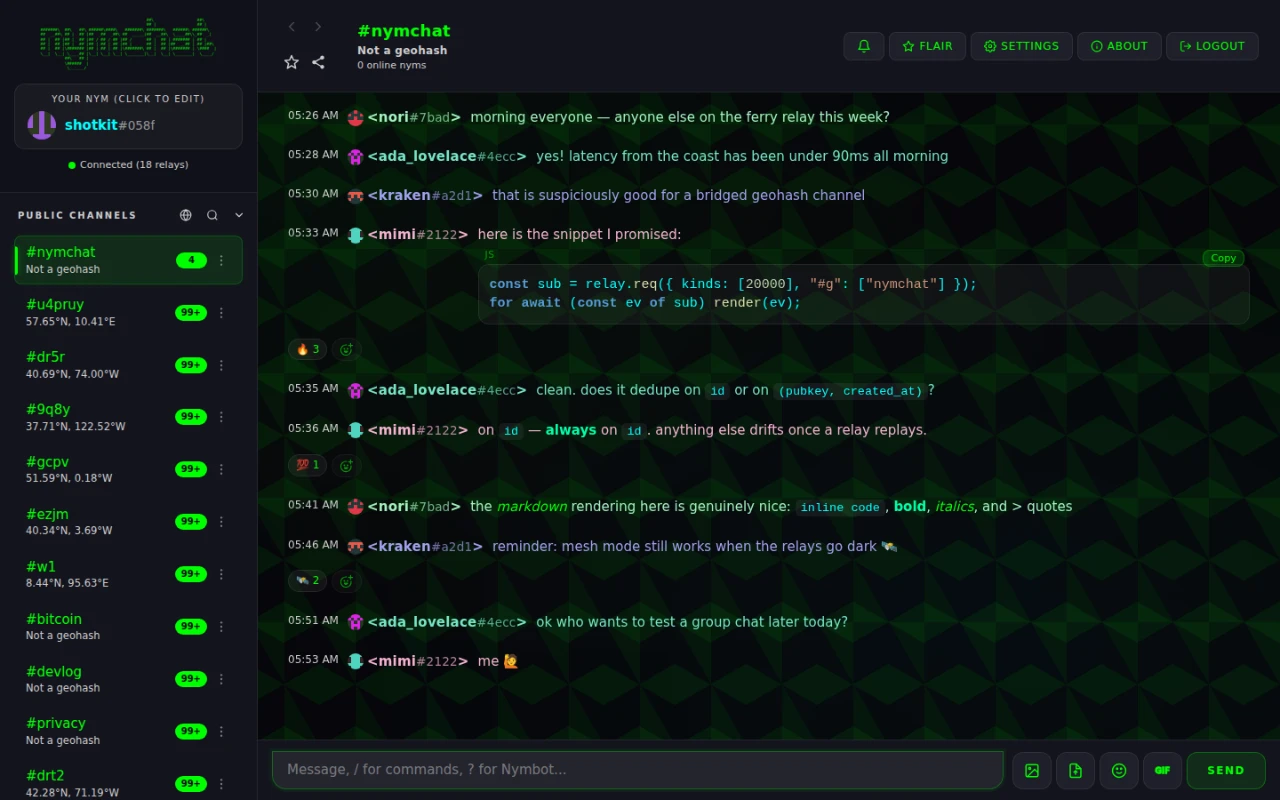
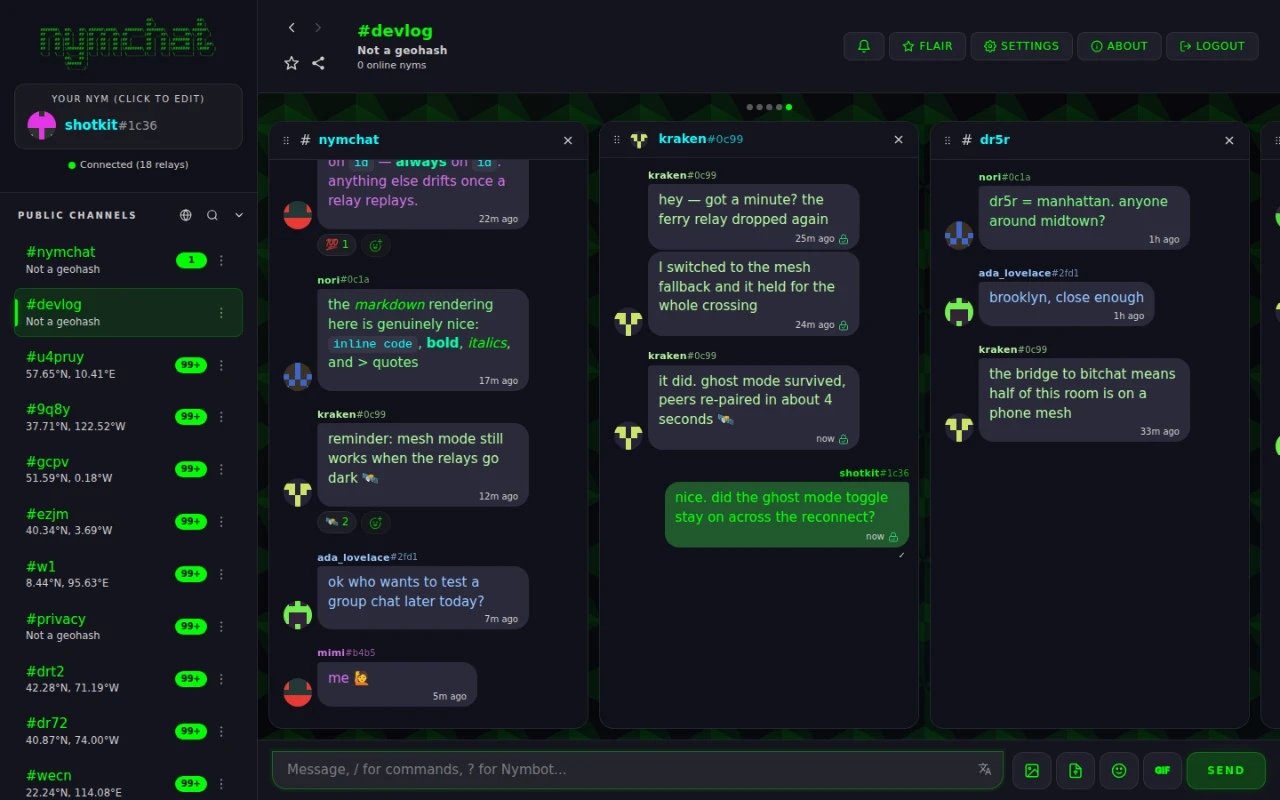
Text Size scales all text in the app, not just messages.
Wallpapers
Chat Wallpaper sits behind the message area. Seven built-in patterns — Geometric, Circuit, Dots, Waves, Topography, Hexagons and Diamonds — plus None, or Upload your own image (at least 1920×1080).
In Column View there is a second, narrower choice: Column Message Wallpaper decides whether the wallpaper shows through each column's message area or each column gets a solid background instead.
Notification sounds
Notification Sound, under Settings › Messaging & Display, is Classic Beep by default. The rest are, in order: Low Tone, High Ping, ICQ Uh-Oh, MSN Alert, MSN Nudge, Nokia SMS, Nokia Tune, Dial-Up Modem, Mario Coin, Mario 1-Up, Mario Power-Up, Zelda Secret, Game Boy Boot, Tetris, Pokémon Heal, Communicator Chirp, F1 Radio — and Silent.
The tones are synthesized in the app rather than played from audio files, which is why they cost nothing to download and sound identical on every platform.