Knowledge base Start here
Getting started
Nymchat has no sign-up form, no email field and no password. Opening it and typing a name is the whole of registration.
Your first run
Open web.nymchat.app in a browser, or launch the Android or iOS app. The first thing you see is a welcome screen with two tabs.
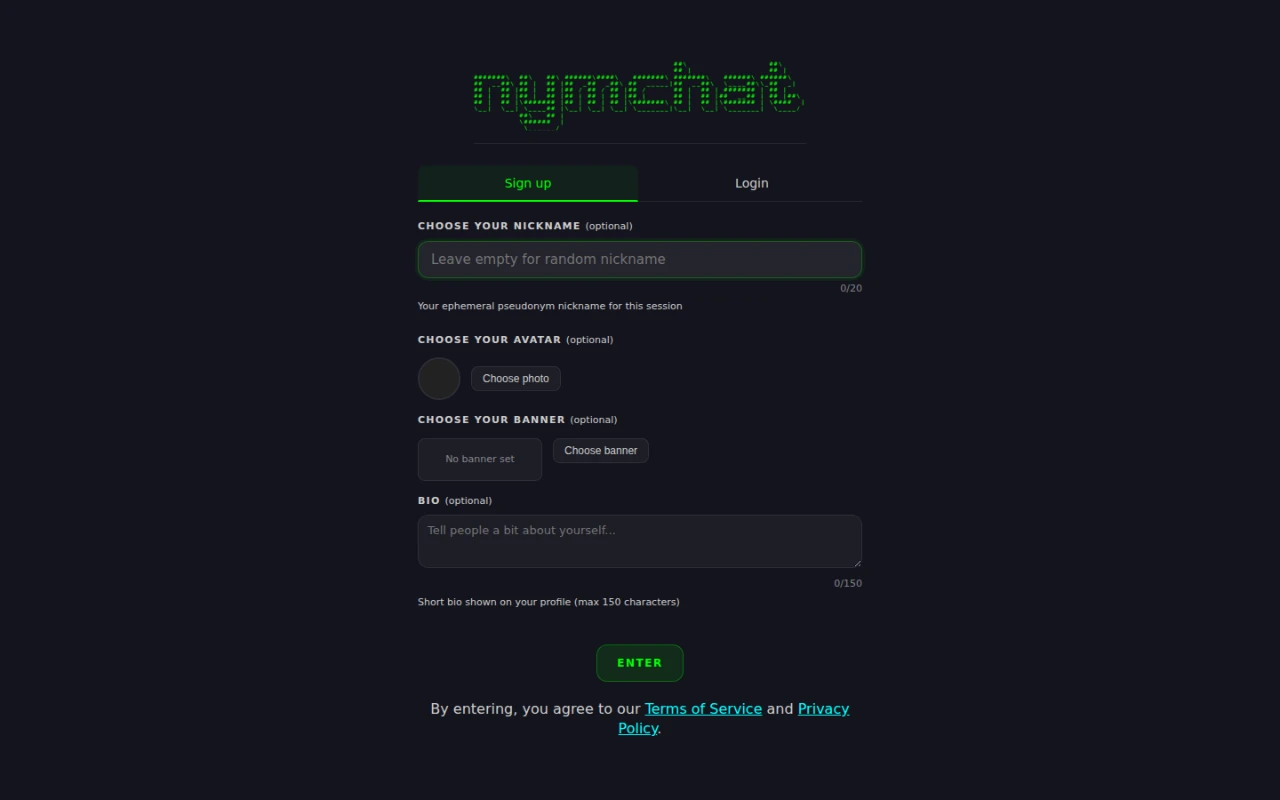
- Sign up creates a brand-new keypair on your device. Nothing is sent anywhere and nothing is registered.
- Login brings an existing Nostr identity with you — see Logging in with a Nostr account.
If you just want to look around, take Sign up. You can always log in later, and you can hold on to the identity you were given if you decide you like it.
Picking a nym
A nym is a display name plus four hex characters derived from your public key
— SatoshiFan#a1b2. The name is yours to choose and is not unique; the
suffix is what actually distinguishes you, and it cannot be faked, because it comes from a
key only you hold.
On the Sign up tab you can set:
- a nickname, up to 20 characters — leave it empty and one is generated for you;
- an avatar and a banner image;
- a bio, up to 150 characters.
All four are optional and all four can be changed later by tapping the "Your Nym" panel at the top of the sidebar.
That same panel is the panic wipe: a press and hold for two seconds destroys every trace of Nymchat on the device, with no confirmation. A normal tap opens the editor. See Panic wipe.
Joining a channel
Press Enter and you land in a channel. The sidebar lists the public channels you can join;
the ones that look like #9q5 are geohash
channels covering a patch of the world, and the ones with words in them are
named channels about a topic.
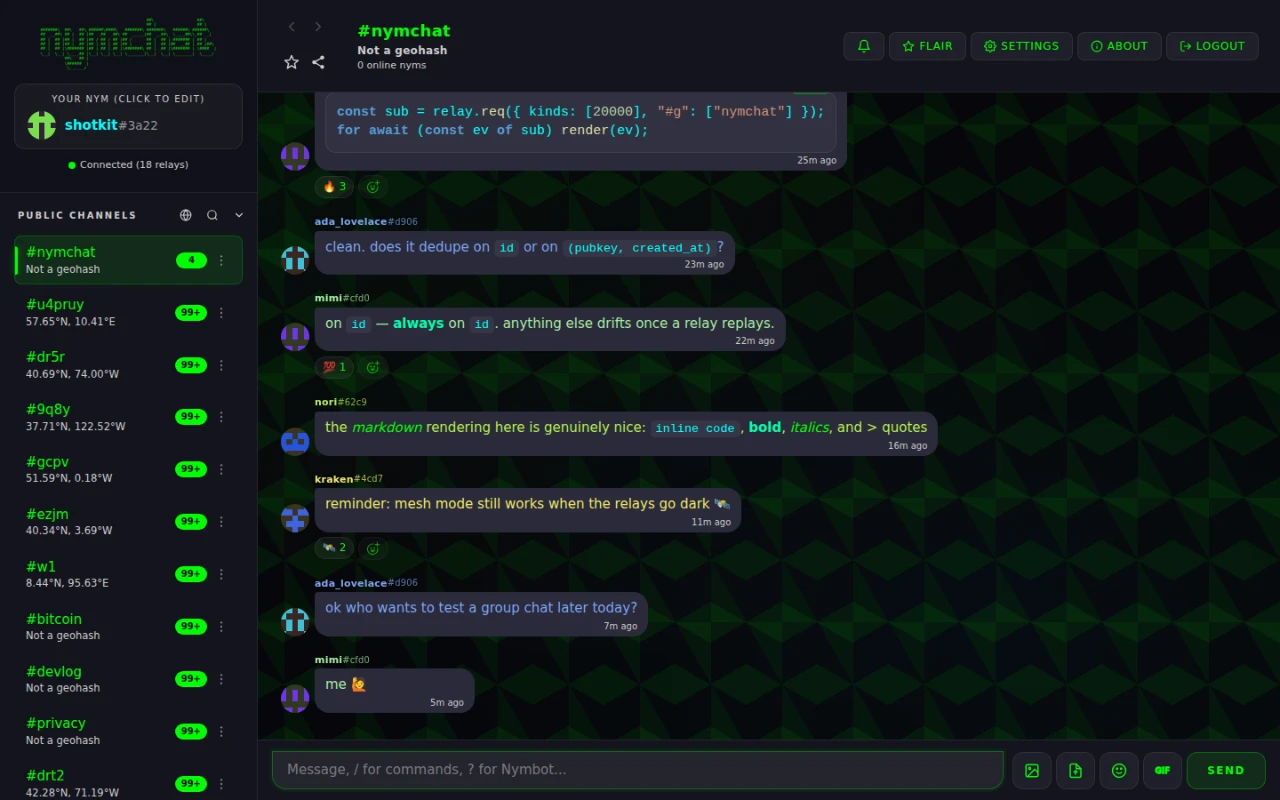
To join one that is not listed, type /join #bitcoin in the composer, or use the
search icon above the channel list. Anything after the # that is not a valid
geohash becomes a named channel — if nobody is there yet, you have just created it.
Sending your first message
Type in the box at the bottom and press Enter. That is it: no handshake, no invite, no permission.
Three characters at the start of a line change what happens next:
| Prefix | What it does |
|---|---|
/ | Runs a command — see the command reference. |
? | Asks Nymbot, the built-in AI bot. |
@ | Mentions someone; a picker appears as you type. |
A public channel really is public. The message is an unencrypted Nostr event on relays anyone can read, and it is not addressed to a server you can ask to delete it. If you want a conversation nobody else can read, start a private message or a group chat instead.
Where to go next
- Install the app Put Nymchat on a home screen, or get the Android or iOS build.
- Keep your identity Turn the throwaway nym into one that survives a reload.
- Make it yours Six themes, two chat layouts, wallpapers and eighteen notification sounds.
- Learn the commands Almost everything in the app has a slash command.