Knowledge base Talking to people
Group chats
End-to-end encrypted group conversations that do not leak their own membership. Every message is wrapped separately for every member, addressed to a key that is used once.
Creating a group
/group @alice @bob Weekend plans creates a group with those members and that
name. The name is optional. You can also pick Create Group Chat from
someone's context menu, or use the + beside the Group Chats section in the
sidebar.
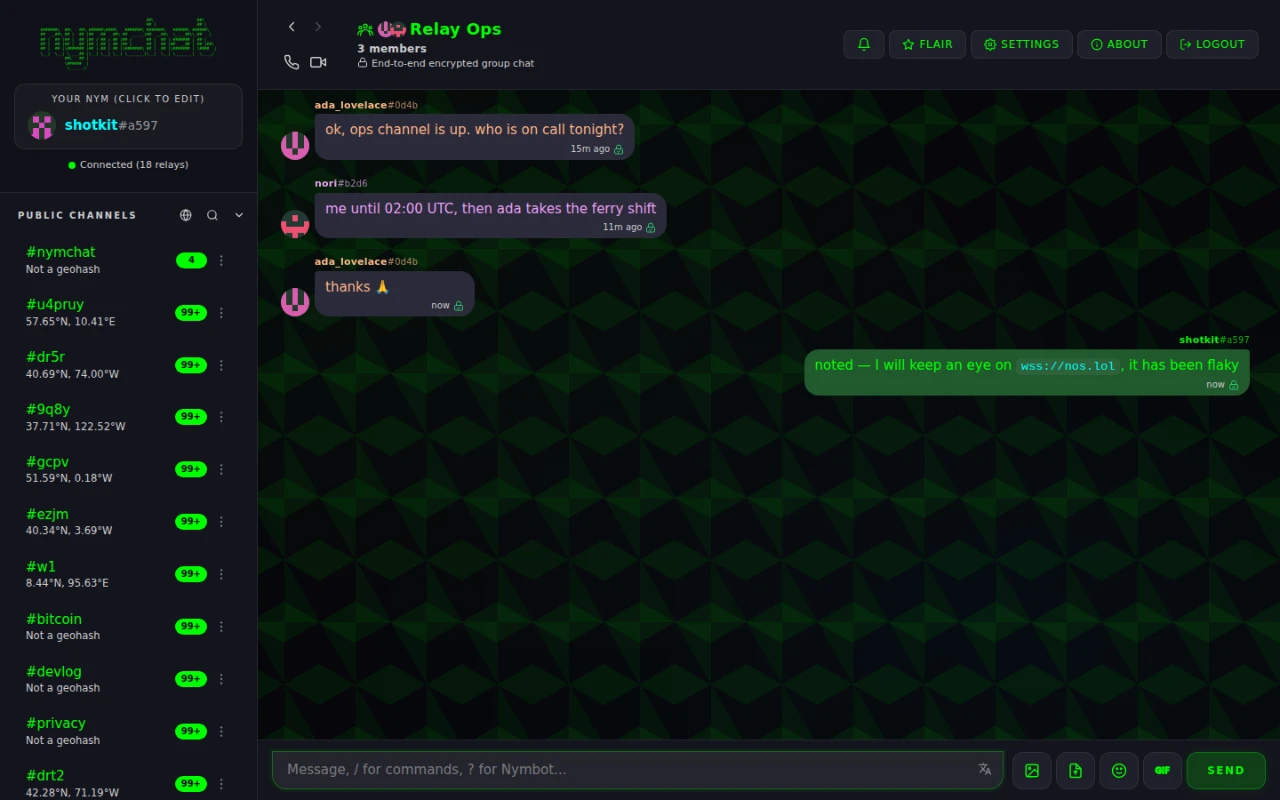
You become the group's owner. Groups are capped at 100 members, because every message is encrypted separately for each one and the per-message fan-out has to stay bounded.
Adding members
/addmember @nym, or /invite @nym while you are in the group. Whether
anyone besides the owner and admins may do this is the group's allow members to add
others setting, in the group's context menu.
/groupinfo lists the current members.
Invite links
Off by default. The owner or an admin turns on Allow joining via invite link from the group's context menu, after which the link appears there — for them, and for members too when "allow members to add others" is on.
Someone brand new who opens an invite link is asked to pick a nym or log in first; the join then resumes on its own, so they do not have to find the link a second time.
Reset Invite Link revokes every link shared so far in one go. Use it when a link has ended up somewhere you did not intend.
Sharing history with new members
Also off by default, also the owner's or an admin's call: Share history with new members in the group's context menu.
With it on, whoever adds someone forwards up to the group's last 50 messages to that new member, as a single encrypted blob, to them alone. Forwarded messages are marked unverified, because the original authors' signatures cannot be re-checked once the text has been relayed by a third party — you are trusting the person who added you not to have edited what they passed on.
Owners, admins, moderators and members
| Command | Does | Who can |
|---|---|---|
/kick @nym | Removes a member | Owner, admins, moderators |
/ban @nym | Removes them and blocks their return | Owner, admins, moderators |
/unban @nym | Lifts a ban | Owner, admins, moderators |
/addmod @nym | Promotes to moderator | Owner, admins |
/removemod @nym | Demotes a moderator | Owner, admins |
/addadmin @nym | Promotes to admin | Owner |
/removeadmin @nym | Demotes an admin | Owner |
/transferowner @nym | Hands the group over | Owner |
/leave | Removes you from the group | Anyone |
A group has exactly one owner, and any number of admins and moderators. The split is between acting on people and acting on the group: moderators remove, ban and unban members, and that is all they do. Admins do that too, and also everything that changes the group itself — its name, its description, its invite link, its settings, who may add members — and they appoint and dismiss moderators. Only the owner appoints admins, and only the owner can hand the group to someone else.
Nobody can act on someone at or above their own role. A moderator cannot kick another
moderator, an admin cannot demote another admin, and no one but the owner can act on the
owner. Ownership is the one role that moves rather than stacks: /transferowner
hands it over, it does not add a second owner.
There is no server to arbitrate, so every client checks the role itself — when sending a moderation action, and again on every moderation event it receives. A client that claims a power it does not have is simply ignored by everyone else.
How group encryption works
Group chats use the same NIP-17 rumors and NIP-59 gift wraps as private messages, one wrap per member, each encrypted to that member. Nymchat then adds something standard NIP-17 does not have.
Rotating recipient keys
With plain NIP-17, someone watching a relay sees N gift wraps appear at the same instant, addressed to N different pubkeys. That is a membership list, and it does not need decrypting to read.
So Nymchat rotates the recipient keys. Every time you send, your client mints a fresh
ephemeral keypair and advertises its public half inside the encrypted rumor, as an
ephemeral_pk tag. From then on, everybody addresses their messages to that key
instead of your real one. To an observer, every message in the group travels between
one-time pubkeys that have no visible link to any identity, and no two messages share a
recipient.
Post-compromise recovery
That rotation is also the recovery mechanism. If a device is compromised, the user simply sends a message: the new ephemeral key it advertises replaces the old one for every member automatically. There is no out-of-band resync to arrange and nothing for the group to agree on.
Coming back after being away
Ephemeral keys rotate, and the events carrying them expire off relays. A client that has been offline for days can therefore come back holding keys everyone else has moved past. So on reconnect, after a long enough gap, it sends a rate-limited key-resync request to each of its groups and re-exchanges current keys — which is what stops a long holiday from turning into a group you can no longer read.
Group messages between Nymchat users can also use a post-quantum key exchange on top of the above. Because every member already gets their own separately encrypted copy, a group can mix both freely — and a message is only marked quantum-resistant when every member received it that way. See quantum-resistant encryption.